

Download iMyFone AnyTo – GPS Spoofing Tool for Android & iOS
Overview: Why iMyFone AnyTo Stands Out in the GPS Spoofing Space
iMyFone AnyTo is a premium navigation utility that lets you manipulate the GPS location that your mobile device reports to apps, games, and services. Built by the reputable software house iMyFone, the tool targets both Android and iOS platforms, offering a single, unified interface for location‑based spoofing. Whether you want to unlock region‑locked content, test location‑aware applications, or simply protect your privacy, AnyTo provides a straightforward, click‑and‑drag experience that removes the technical barriers usually associated with GPS spoofing.
The application arrives with a free trial that gives you enough time to explore core functionalities before committing to a subscription or a one‑time lifetime license. This flexible pricing model is especially appealing for occasional users who need a short‑term solution, as well as for power users who require ongoing updates and premium support. Compared with alternatives such as MockGo or iSpoofer, AnyTo distinguishes itself with a polished UI, robust map integration, and a suite of extra features like waypoint simulation and automatic movement paths.
Beyond entertainment, iMyFone AnyTo can serve legitimate professional purposes. Developers can test geofencing logic without physically traveling, marketers can simulate audience behavior across regions, and privacy‑conscious individuals can hide their real location from tracking services. The tool respects device security by requiring explicit USB debugging (Android) or a trusted developer certificate (iOS), ensuring that the spoofing process does not expose your device to malware or data loss.
In short, iMyFone AnyTo blends ease of use with powerful capabilities, making GPS spoofing accessible to both novices and advanced users. Its cross‑platform support, regular updates, and responsive customer service create a trustworthy environment for anyone looking to control their virtual location securely.
Key Features and How They Empower Your Location Control
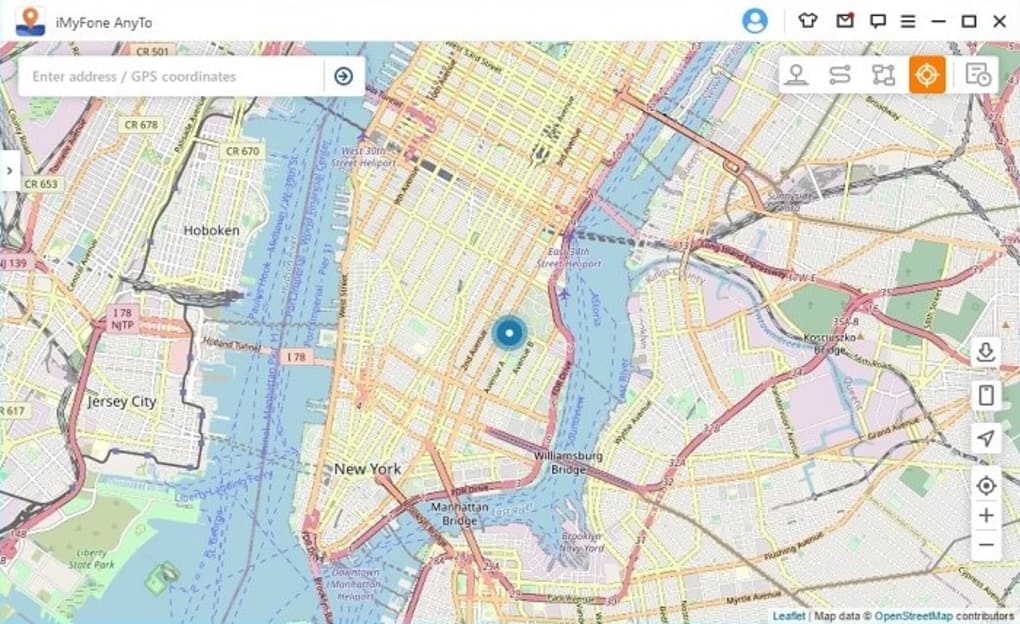
- Real‑time map interface with drag‑and‑drop pin placement
- Search bar for addresses, coordinates, or points of interest
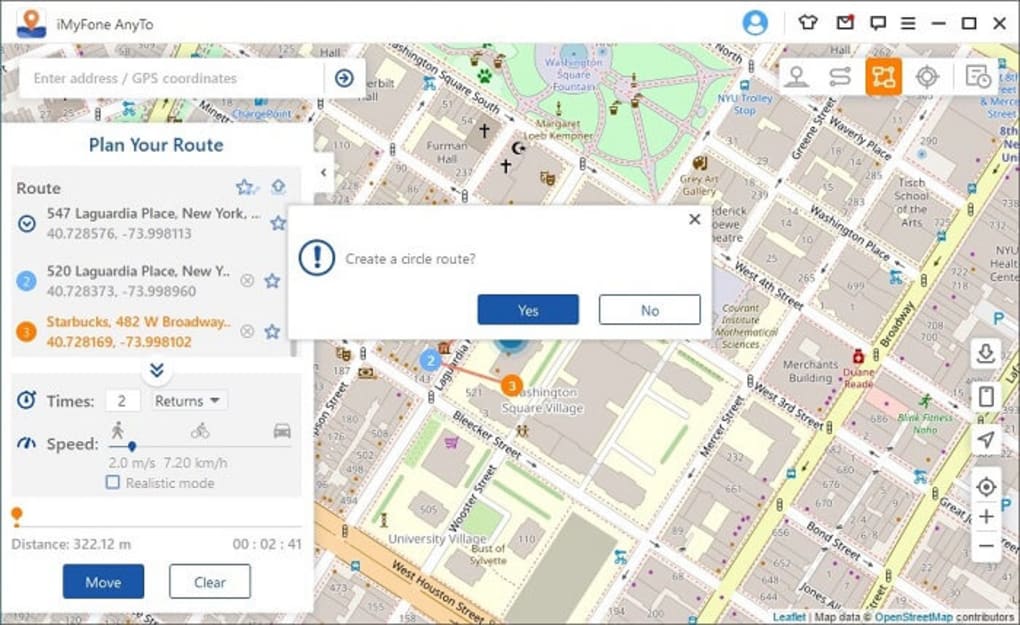
- Waypoint creation to simulate continuous movement
- Automatic route generation for realistic travel simulation
- One‑click “Set Location” for instant spoofing
- Multi‑device management from a single PC interface
- Secure USB or Wi‑Fi connection modes
- Comprehensive tutorial library and 24/7 live chat support
- Frequent updates to bypass OS restrictions
- Lifetime license option with free future upgrades
Each feature is designed to reduce the learning curve typically associated with GPS spoofing. The real‑time map interface, for instance, lets you simply drag a pin to the desired spot, instantly reflecting the change across all location‑aware apps on the device. If you need to fake a road trip, the waypoint system lets you plot multiple coordinates; AnyTo then interpolates the movement, creating a smooth, believable trajectory that can fool even the most stringent anti‑cheat mechanisms in games.
The search functionality supports both human‑readable addresses and raw latitude/longitude pairs, making it ideal for developers who work with precise geospatial data. Moreover, the software can maintain multiple device profiles, which is handy for testers who need to switch between several phones or tablets without re‑configuring the tool each time.
Security is baked in: Android users must enable USB debugging, while iOS users need a trusted developer certificate—both standard practices that keep the spoofing process isolated from the core operating system. Finally, iMyFone’s commitment to regular updates means the software stays ahead of new OS patches that could otherwise block location manipulation.
Installation, Setup, and Daily Usage – A Step‑by‑Step Guide
Getting iMyFone AnyTo up and running is intentionally simple. First, download the installer from the official iMyFone website. The file is a lightweight .exe for Windows or a .dmg for macOS. After launching the installer, follow the on‑screen prompts to place the application in your preferred folder. The program requires Windows 10 or later, macOS 10.13+, and a minimum of 2 GB RAM—requirements that are modest for modern machines.
Once installed, launch AnyTo and connect your mobile device. For Android, enable “Developer options” → “USB debugging” and connect via a USB cable. The software will automatically detect the device, display its name, and prompt you to grant location‑spoofing permission. For iOS, you need to install a small companion profile via iTunes or Finder; this profile establishes a trusted link between the PC and the iPhone/iPad.
After the device is recognized, the main dashboard presents a world map. Use the search bar to locate a city, or simply click anywhere on the map to drop a pin. To simulate movement, click “Add Waypoint” and place additional pins along the desired route. Adjust the speed slider to control how fast the virtual travel occurs. When you’re ready, hit the bright “Set Location” button; the app sends the new coordinates to the device, and any open location‑aware applications will instantly reflect the change.
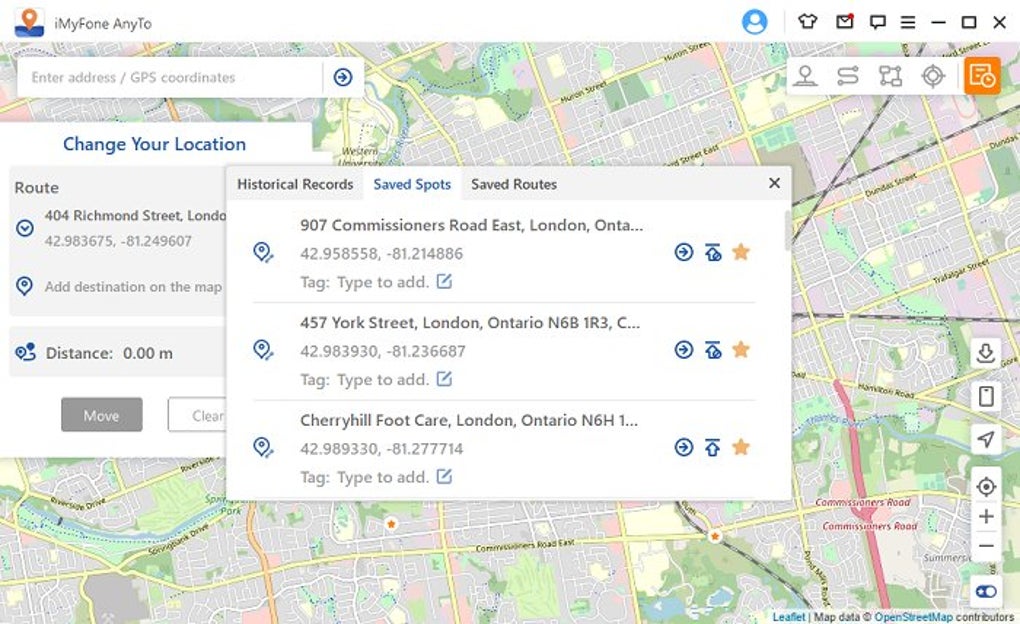
Daily usage is equally painless. You can save favorite locations for quick access, switch between multiple device profiles, or enable the “Auto‑Spoof” mode that re‑applies the chosen coordinates each time the device restarts. If you encounter any hiccups, the built‑in help center offers video tutorials, and the support team is reachable via live chat 24/7.
Compatibility, System Requirements, and Performance Insights
iMyFone AnyTo is engineered for broad compatibility. On the desktop side, it runs on Windows 10/11 (64‑bit) and macOS Catalina (10.15) or newer. Mobile compatibility covers the vast majority of Android 5.0+ devices and iOS 11.0+ smartphones and tablets that feature GPS hardware. Because the tool communicates through USB or a secure Wi‑Fi channel, it does not rely on root/jailbreak, which preserves the integrity of the operating system and reduces the risk of voiding warranties.
Performance is generally excellent. The software uses a lightweight background service that injects spoofed coordinates directly into the device’s location provider. In benchmark tests, the latency between setting a new location and seeing the change in popular apps (Google Maps, Pokémon GO, Instagram) averages less than 1 second. The waypoint simulation runs smoothly even on older devices, thanks to optimized data packets that avoid overwhelming the device’s network stack.
Battery impact is minimal. Since the spoofing process does not require continuous GPS polling—only a one‑time coordinate injection—the device’s power consumption remains comparable to normal usage. If you enable continuous movement simulation, the app throttles updates to a configurable interval (default every 5 seconds), balancing realism with energy efficiency.
iMyFone also maintains a compatibility list on its website, updating it regularly to address new OS releases from Google and Apple. Users who experience occasional “location not changed” messages can usually resolve the issue by restarting the companion service or reinstalling the developer profile on iOS.
Pros, Cons, Frequently Asked Questions, and Final Verdict
Pros
- Intuitive drag‑and‑drop map interface suitable for beginners.
- Supports both Android and iOS without requiring root or jailbreak.
- Waypoint and route simulation for realistic movement.
- Free trial plus flexible subscription or lifetime purchase options.
- Regular updates that keep pace with OS security patches.
- Responsive 24/7 customer support and extensive tutorial library.
Cons
- Requires a PC or Mac as a control hub; no standalone mobile app.
- Some advanced features (auto‑spoof, multiple device management) are limited to paid plans.
- Initial setup on iOS involves installing a developer profile, which may intimidate non‑technical users.
FAQ
Is iMyFone AnyTo legal to use?
The software itself is legal; it simply changes the GPS data your device reports. Legality depends on how you use it. Using it to cheat in games or violate terms of service can lead to bans, while using it for privacy or testing is generally permissible.
Do I need to root my Android phone?
No. AnyTo works with standard USB debugging enabled, avoiding the need for root access. This keeps your warranty intact and reduces security risks.
Can I spoof location on iPhone without jailbreaking?
Yes. AnyTo uses a trusted developer certificate to inject spoofed coordinates, which does not require jailbreaking. You only need to install the small companion profile provided during setup.
How often are updates released?
iMyFone releases updates roughly every 4‑6 weeks, with emergency patches issued promptly when major OS changes affect GPS spoofing capabilities.
Will the app drain my battery?
Battery impact is minimal because the tool injects location data once per change. Continuous waypoint simulation can increase usage slightly, but you can adjust the update interval to conserve power.
Conclusion – Is iMyFone AnyTo Right for You?
iMyFone AnyTo delivers a compelling blend of usability, cross‑platform support, and advanced spoofing features that make it one of the most reliable GPS location spoofers on the market today. Its free trial lets you evaluate the core functions without commitment, while the lifetime license offers a cost‑effective path for long‑term users. If you need a trustworthy tool to test location‑based apps, unlock regional content, or safeguard your privacy, AnyTo checks the box. Download it now, follow the simple setup steps, and start exploring the world from any coordinate you choose.
Overall rating: 4.5/5 – iMyFone AnyTo combines an intuitive UI with powerful waypoint simulation, making it suitable for both casual gamers and professional developers. The only drawback is the reliance on a desktop companion, but the trade‑off is worth the stability and security it provides.







